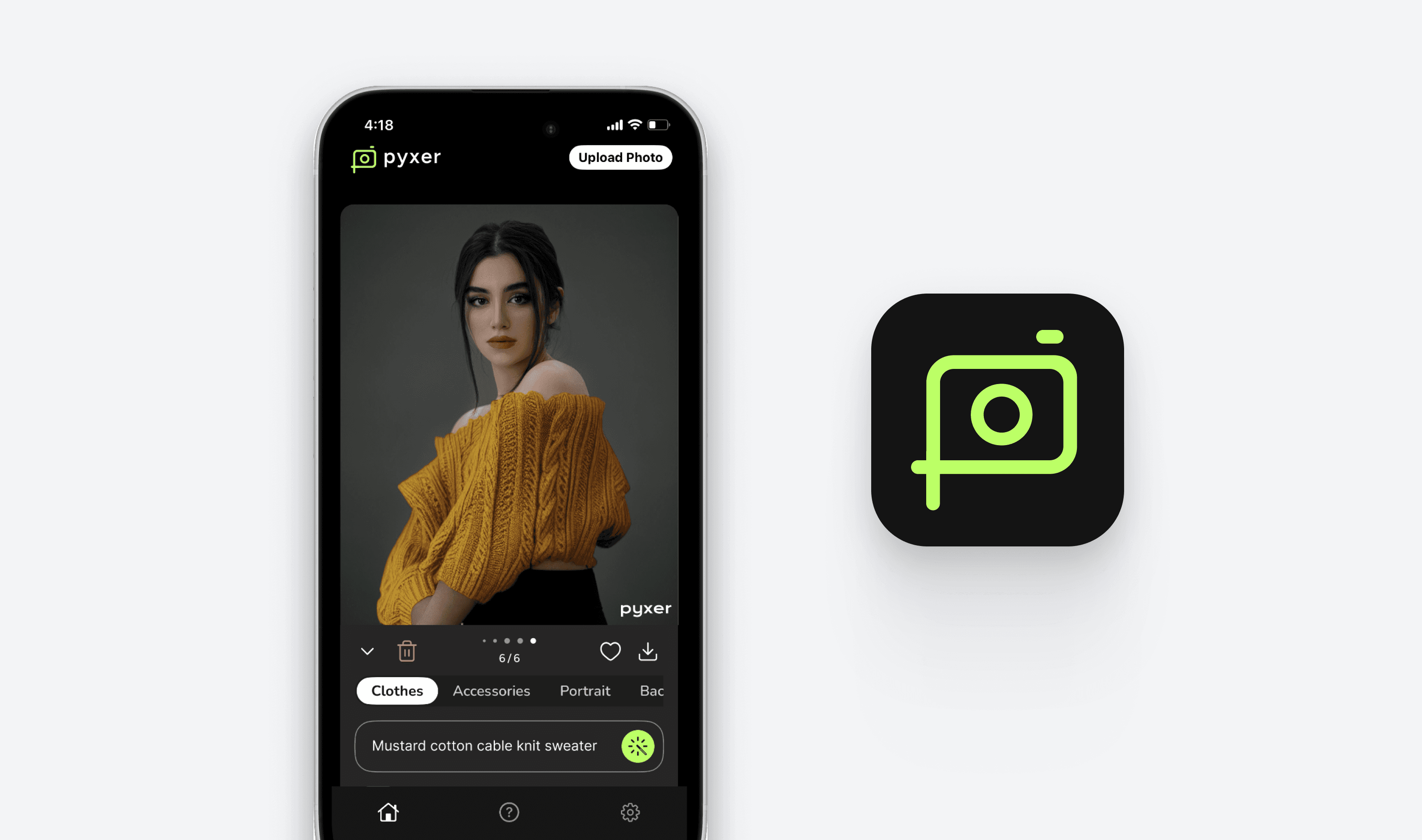
Pyxer is a generative AI photo editing app where users can edit their outfits in photos + shop similar looks from real brands. I designed a messaging platform with an integrated AI chatbot to foster user engagement + retention.
TIMELINE
2 weeks (July 2024)
ROLE
UX Design Intern
TEAM
1 Lead Designer (me!)
2 Engineers
1 Product Manager
SKILLS
Interaction Design
Design Systems
Product Strategy
OVERVIEW
Challenge
Pyxer currently consists of only independent user actions involving visual AI generations. There is potential to maximize user engagement and retention by fostering interactivity with other users, while still highlighting Pyxer's AI features.
How might we integrate Pyxer’s main AI features into a new communication platform, all while under a tight timeline for handoff?
Results
As the lead designer for this project, I handed off a minimum viable messaging platform with an integrated AI chatbot feature from 0 to 1.
My designs are currently in development and is set to launch in Fall 2024.
CHAPTER 1 / PROBLEM SCOPE
An opportunity for boosted engagement within the Gen AI space.
CONTEXT
Pyxer helps consumers virtually try on + find styles from real brands through AI
A fashion photo editing app that helps users try on looks through AI clothing and accessories edits.
Pyxer also partners with brands by recommending their items similar to the user's AI generated looks.
DESIGN OPPORTUNITY
Based on user behavior, a significant portion of our engagement is driven by social interactions
Our users like to generate new photos, then share them to friends for feedback + entertainment—thus, providing an opportunity:
HOW MIGHT WE…
design more in-app social interactions among users to boost engagement + retention?
INTRO / FINAL DESIGNS
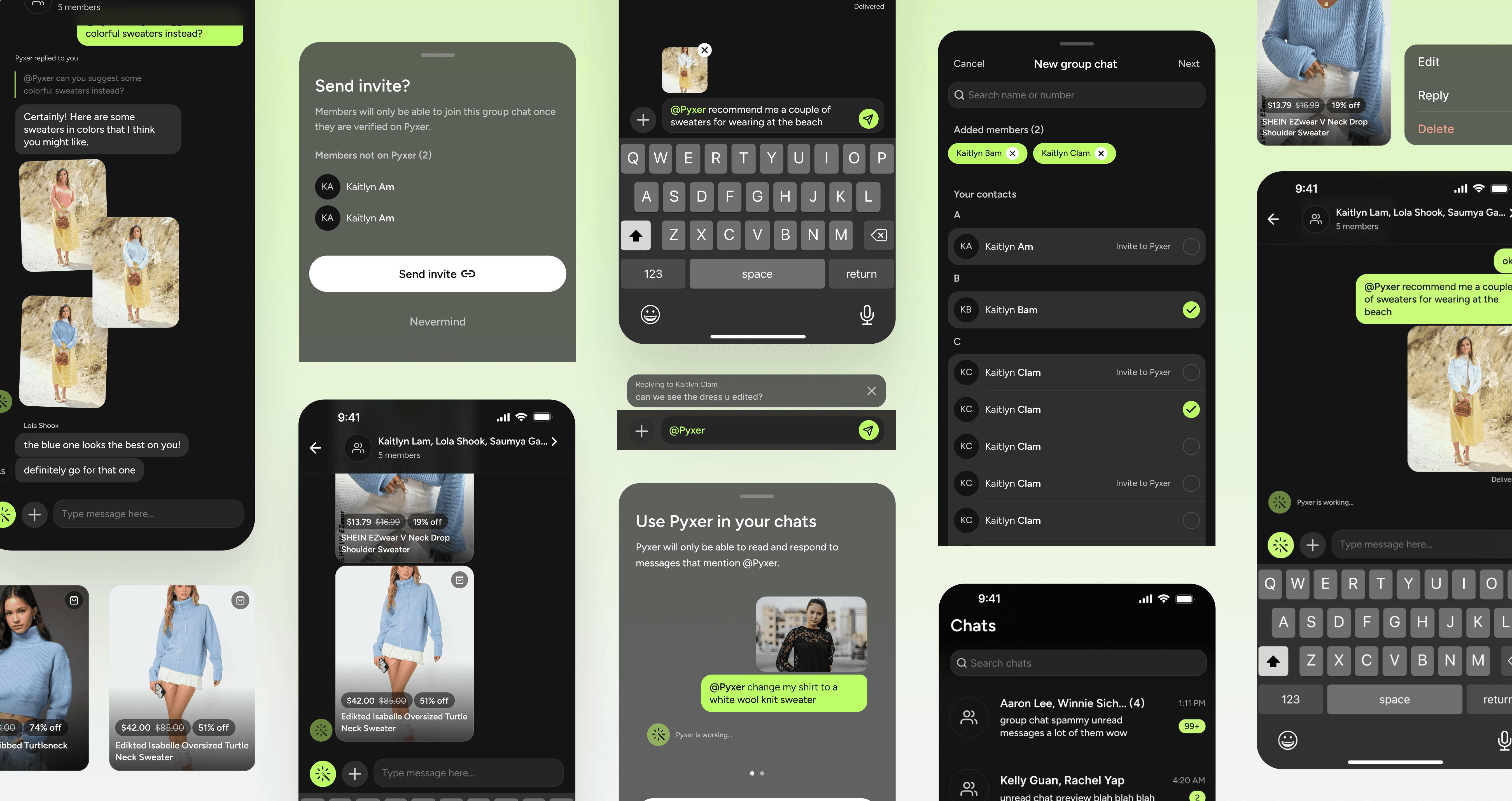
Engagement through group messaging with a seamlessly integrated AI chatbot.
Create group chats with other Pyxer users
Find users through your contacts and create the perfect group chat to discuss AI photo edits and looks.
Frictionless introduction to the AI chatbot
Easily discover, access, & trigger Pyxer's AI capabilities through guided prompts and shortcuts.
Edit photos & shop for looks during your conversation
Use AI within the comfort of your own chat—no need to waste time by exiting the chat to make edits or shop for similar looks.
CHAPTER 2 / RESEARCH
Figuring out where AI currently fits into social interactions.
COMPETITIVE AUDIT
AI plays a reserved, supporting role in enhancing conversations
I started with a competitive audit of existing AI chatbots to learn how AI is triggered + used within conversations.
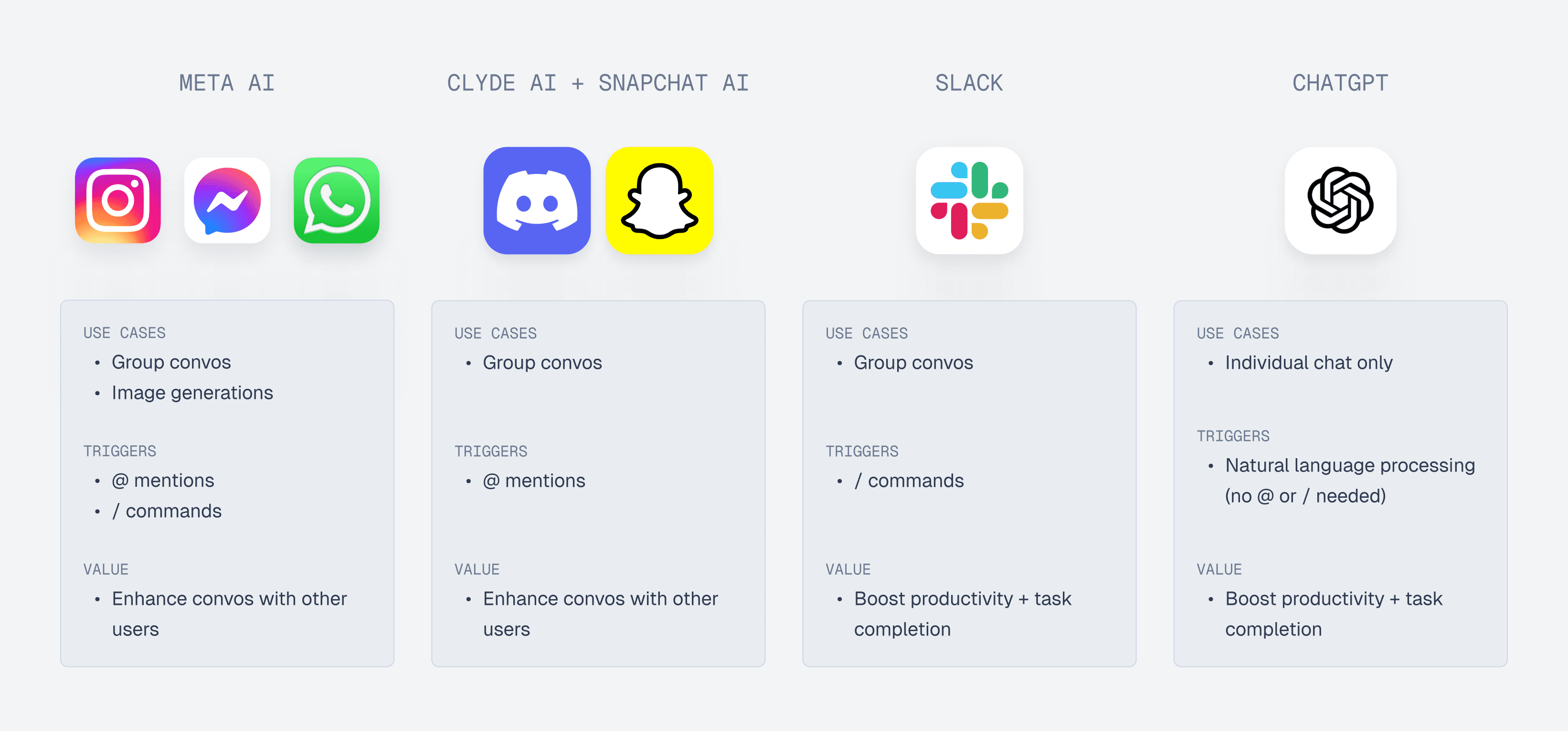
Although ChatGPT only responds to an individual user, I took note of it due to its mass popularity.
FEATURE VALIDATION & USER INTERVIEWS
Turns out, Pyxer's AI should not be integrated the same as other apps
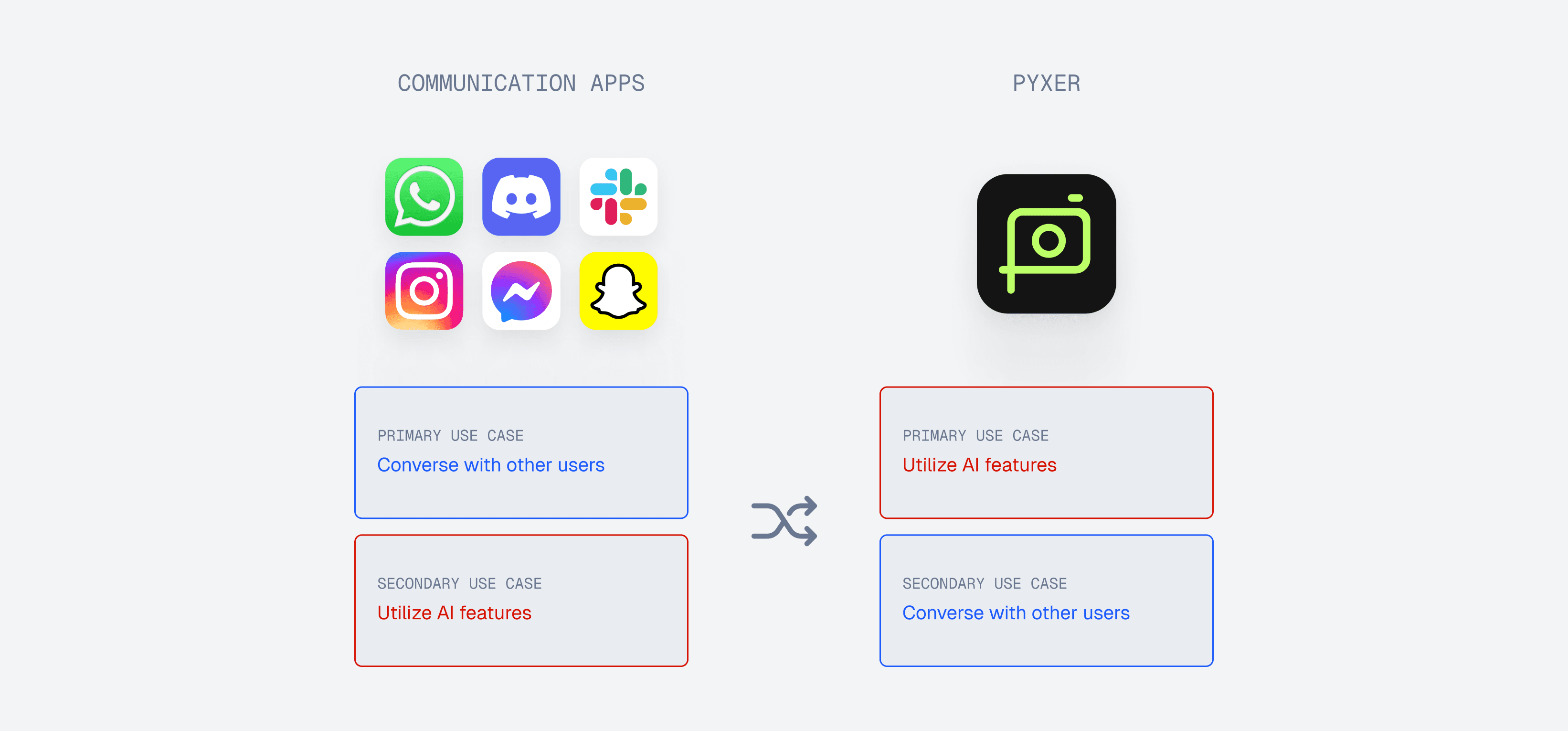
After researching into competitors, I had to remember that there is one key differentiator: Pyxer's main use case is for AI generations, not communication. Given this key differentiator, I conducted 4 user interviews to gain insight on how users would utilize messaging specifically within Pyxer.
USER INTERVIEW QUOTE
"I would really only be messaging in Pyxer if I were using the AI in my conversations…"

KEY INSIGHT
Users expect AI to play a larger role within Pyxer's conversations
as it aligns with Pyxer's primary use case.
CHAPTER 3 / IDEATION
Defining how this AI integration within Pyxer chats should look and feel like.
DESIGN APPROACH
I reframed + narrowed down my approach
After gaining insight on the role AI should play within Pyxer conversations, I formulated a How Might We statement to clarify what this "larger" role should exactly prioritize.
HOW MIGHT WE…
empower users to seamlessly use AI in conversations through easy discoverability & accessibility?
Maximizing AI engagement by helping users discover and access chatbot features.
DESIGN STRATEGIES
Identifying the main tactics
In order to tackle discoverability and accessibility, I focused on 3 main strategies to achieve the overarching mission.

Quick + obvious trigger access
Motivate new users to start using the AI chatbot, and encourage retention in usage.

Fluid experience + integration
Reduce as much friction as possible in both chatting and producing AI chatbot commands.
Encourage user creativity + freedom
Inspire users to access the AI chatbot's full potential through limitless prompt exploration.
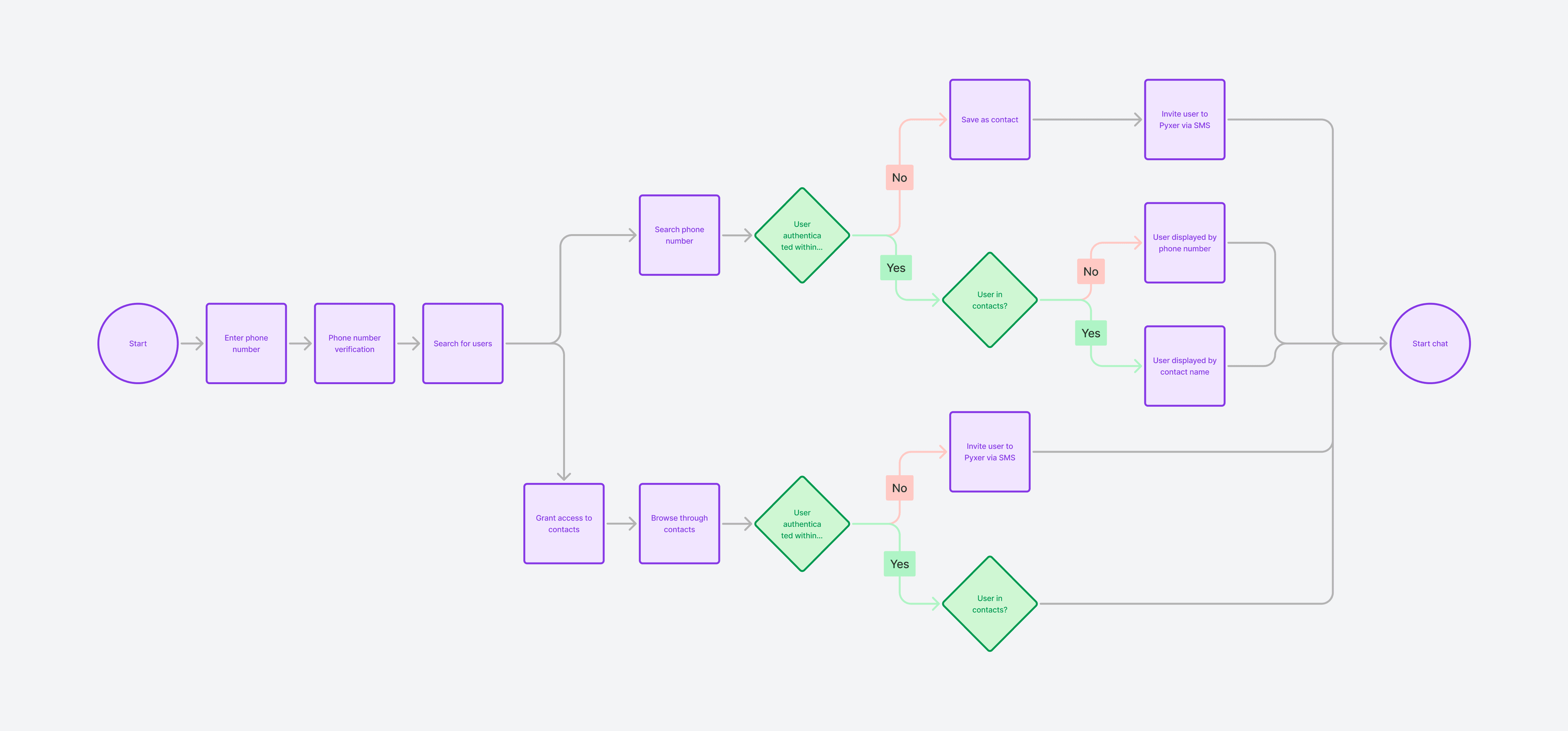
USER FLOW
Specifying all use and edge cases with developers + PM
I scheduled conversations with my PM and engineers to solidify which features were possible and how flows should look like in every possible scenario. This step was especially crucial for specifying which design system components + instances were necessary.
CHAPTER 4 / EXPLORATIONS
Exploring the interplay between interaction design + information design
AI CHATBOT FUNCTIONALITY
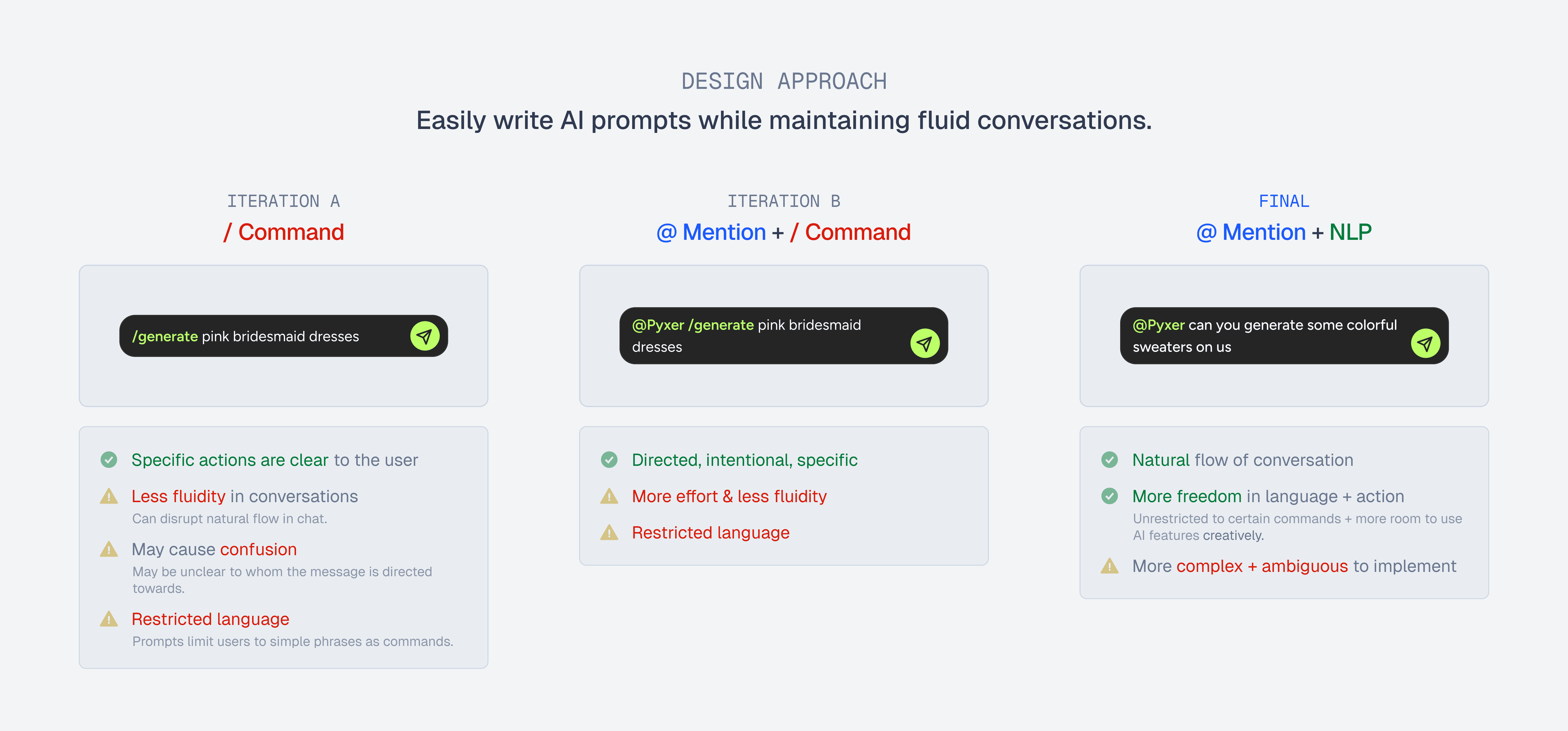
Settling the debate between @, /, and natural language processing
I began my exploration by tackling how users address the AI to write prompts. After discussing with my team, we decided that we were able to spend higher technological effort in order to prioritize natural language processing for more free-flowing AI-integrated conversations.
AI CHATBOT TRIGGERS
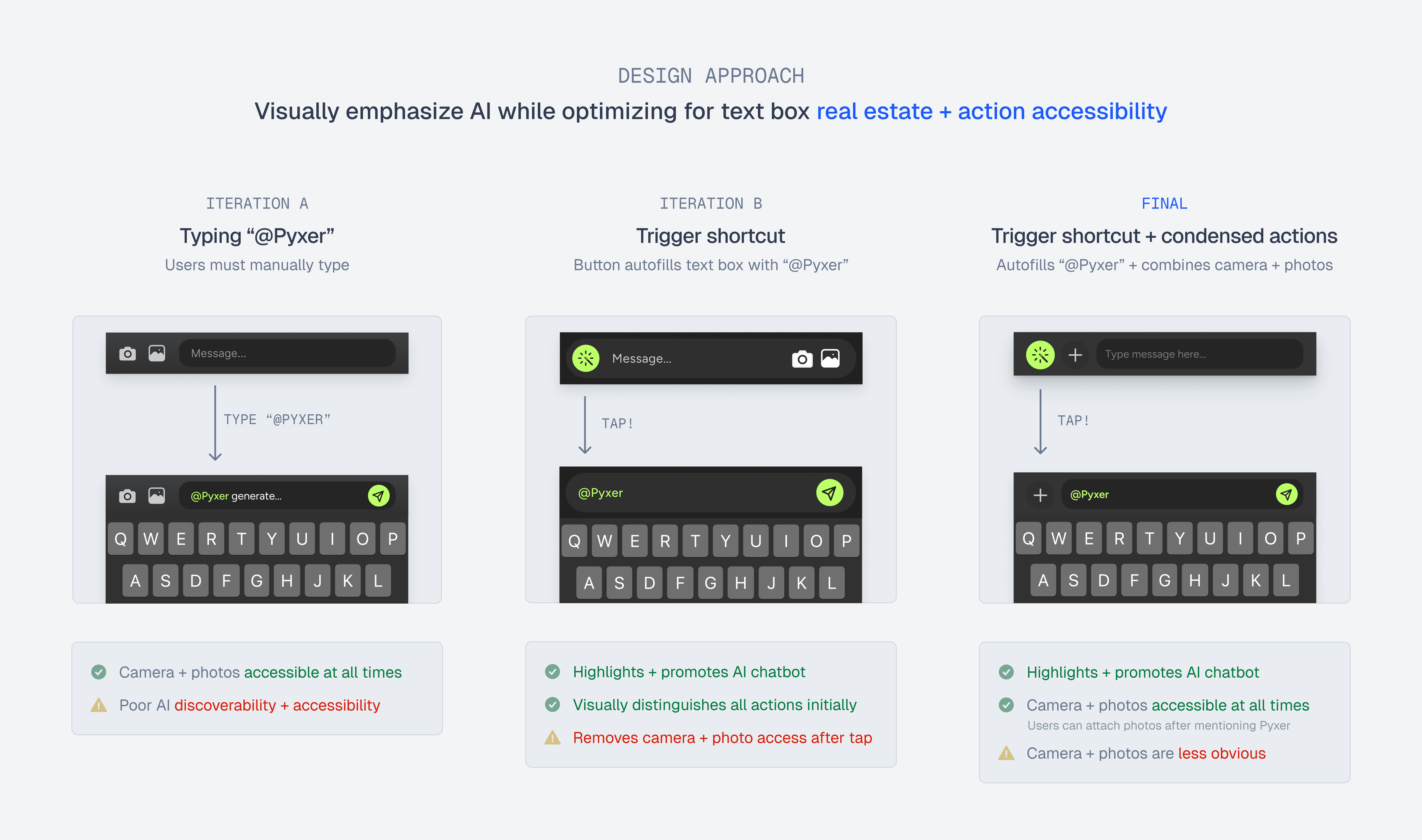
Providing easy access to the AI chatbot
With the functionality now figured out, I explored message bar iterations that would best highlight the discoverability and accessibility of the chatbot. I aimed to simplify the message bar, while maintaining space for the text box + easing access to the AI chatbot, camera, and photos.
INITIAL AI CHATBOT DISCOVERY
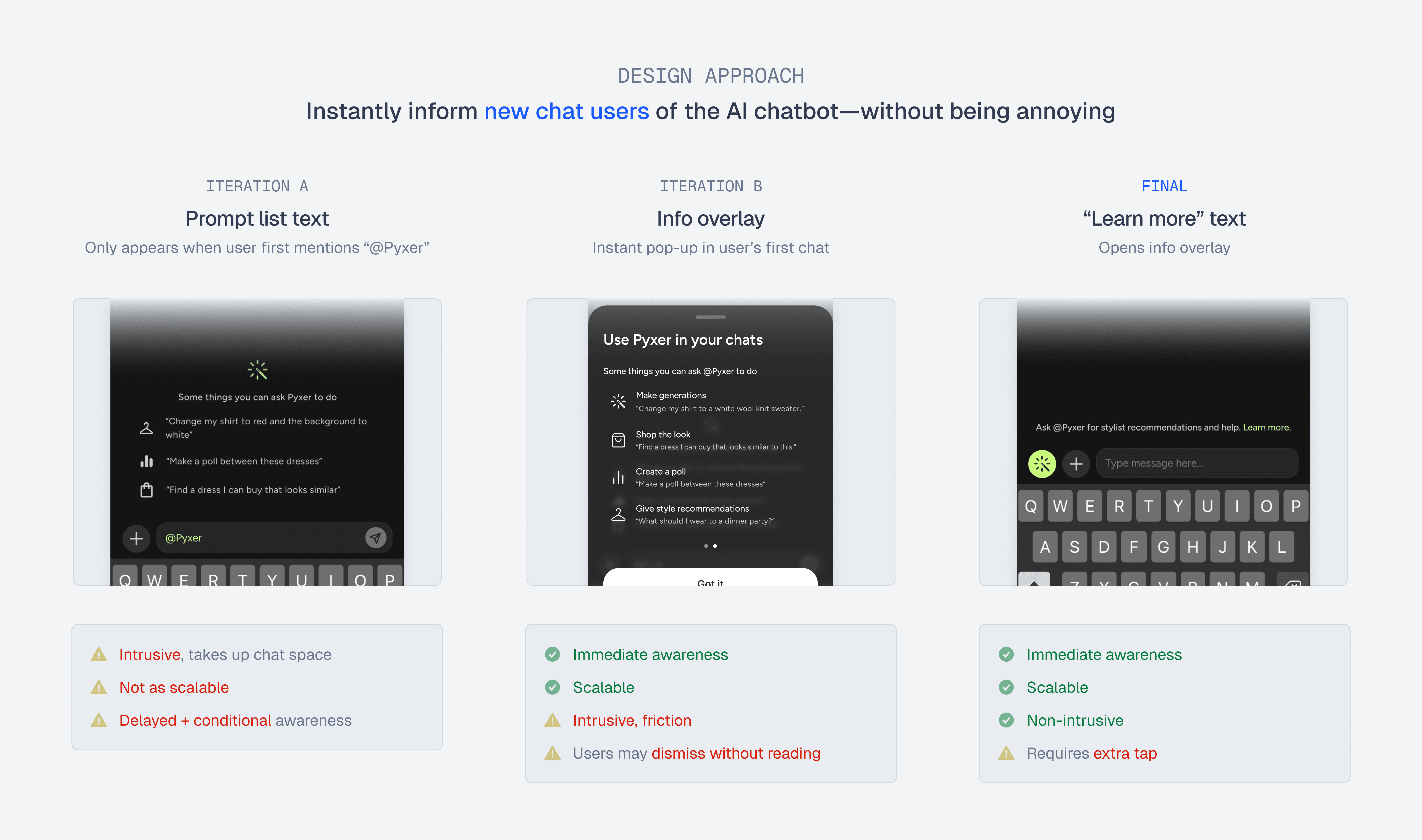
Introducing users to the AI chatbot for the first time
CONTINUOUS AI CHATBOT AWARENESS
Guiding users through AI chatbot usage over time
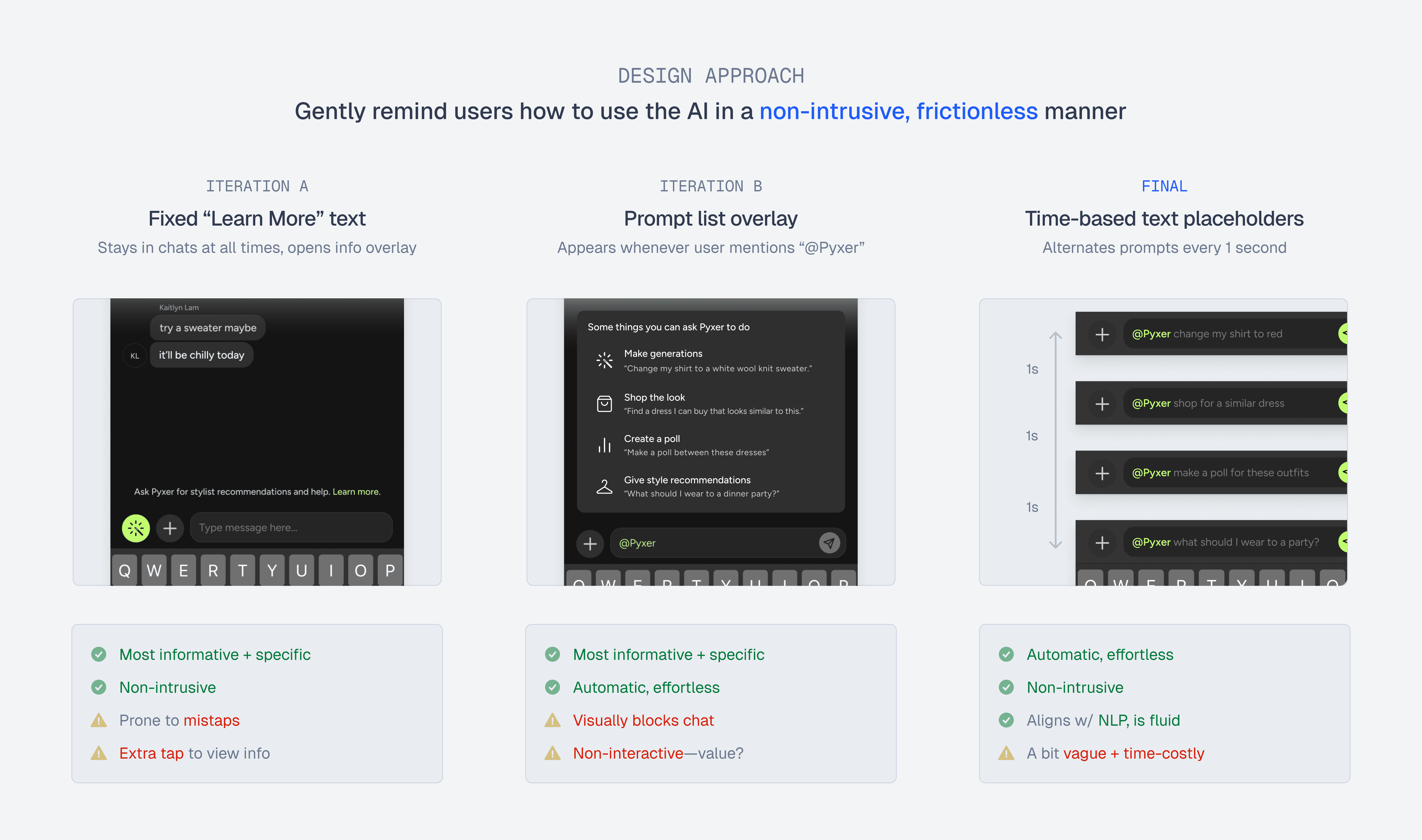
Eventually, users may forget the chatbot's capabilities and may require guidance. Thus, to encourage longer-term retention with the chatbot, I explored ways to gently remind users of possible prompt ideas.
CHAPTER 5 / DESIGN SYSTEM
Documenting the puzzle pieces together in one design system.
UI COMPONENTS
Assigning components for each use & edge case
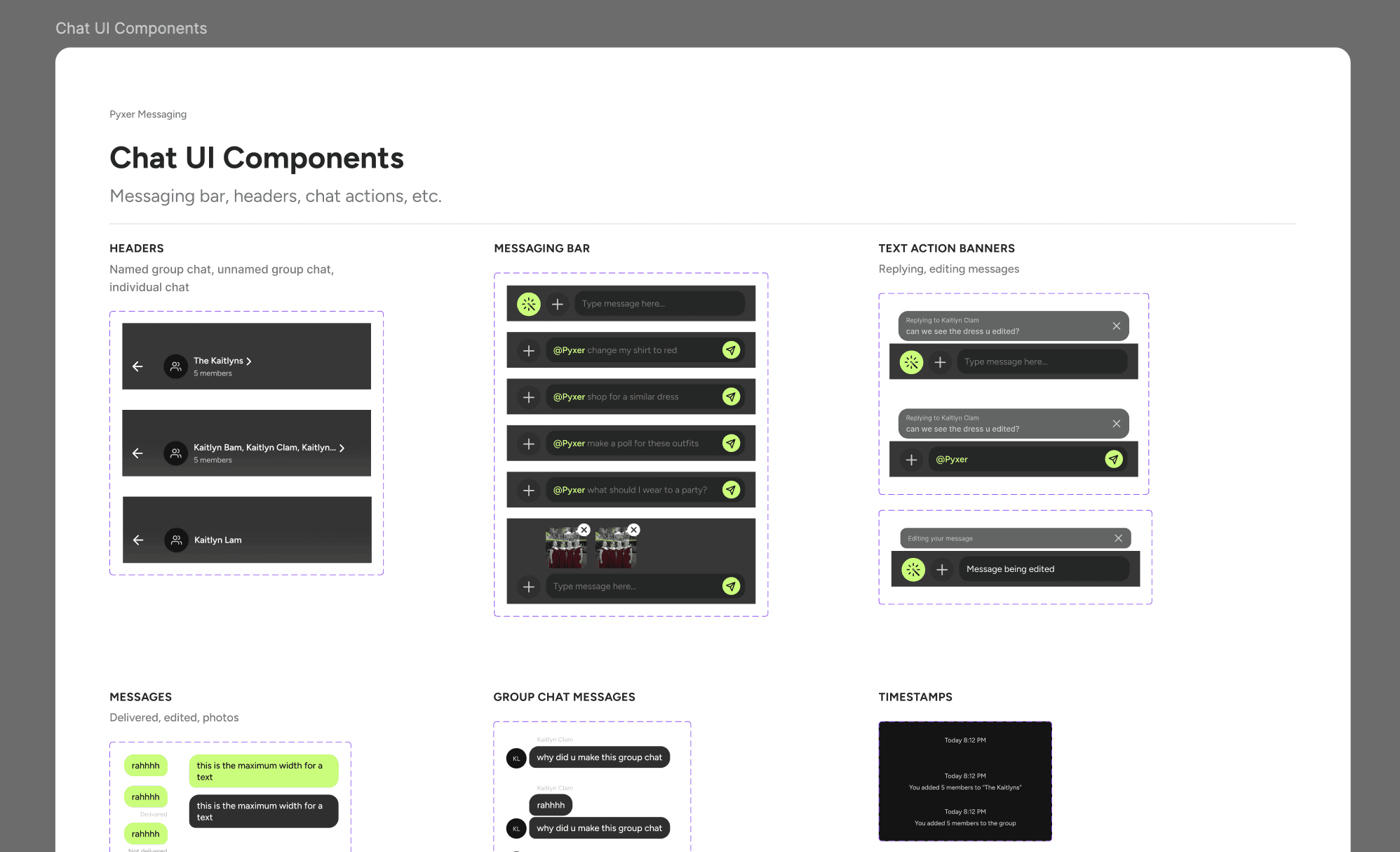
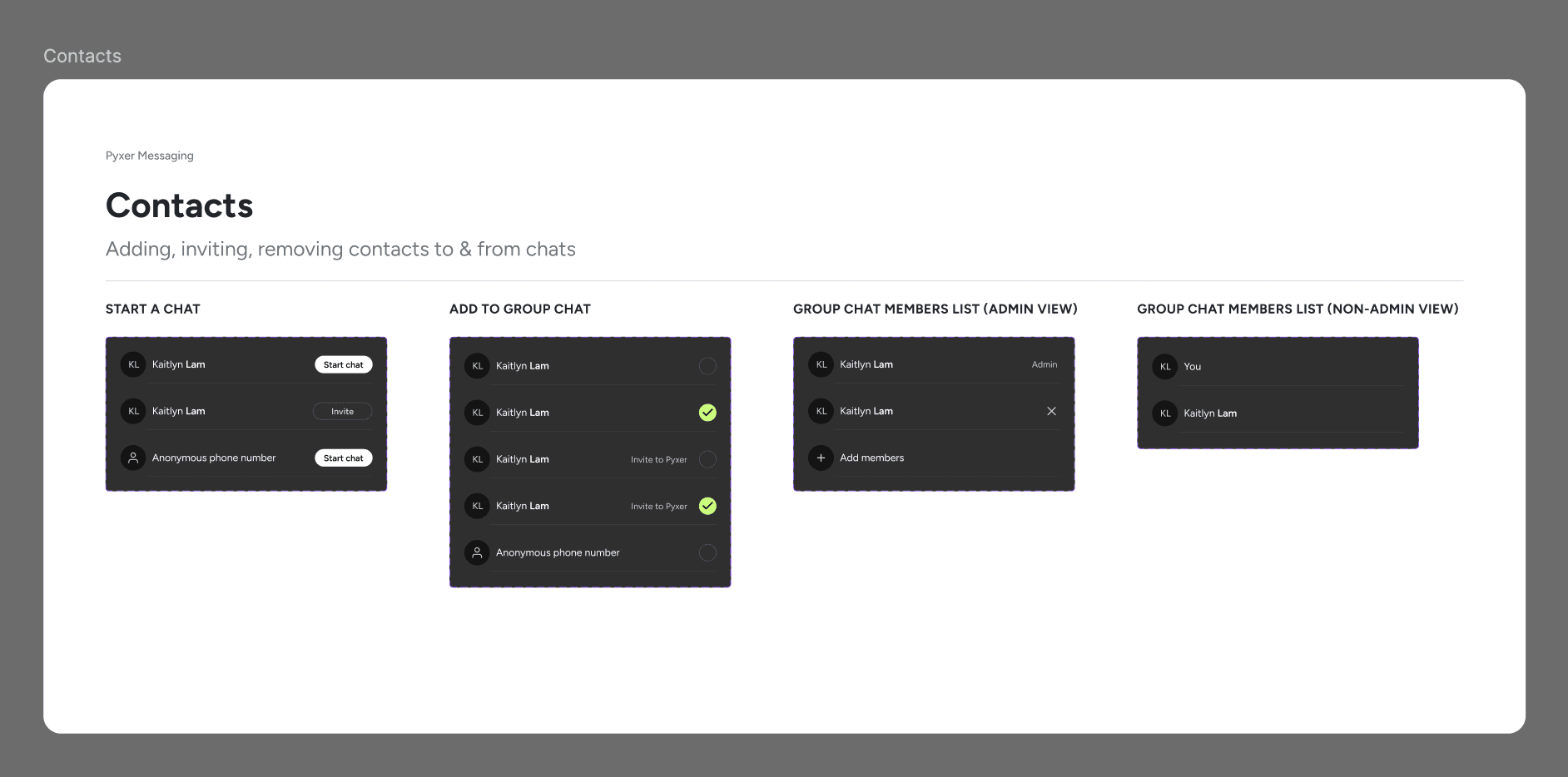
Because I was also designing the messaging platform from scratch, a significant portion of my project involved creating & organizing components to account for every single use and edge case possible.
CONCLUSION / IMPACT
Successfully handed-off for development!
A LOOK INTO THE FUTURE
Coming soon in Fall 2024…
My designs are currently in development, and are projected to launch in Fall 2024. To measure post-launch impact, we'll be tracking daily active users and # of AI generations, as well as app downloads.
In the meantime, I've designed and shipped other features within Pyxer, resulting in massive growth in engagement and traction.
400%+
in AI generations
190%+
in app downloads
NEXT STEPS
What would I have done if I had more than one week?
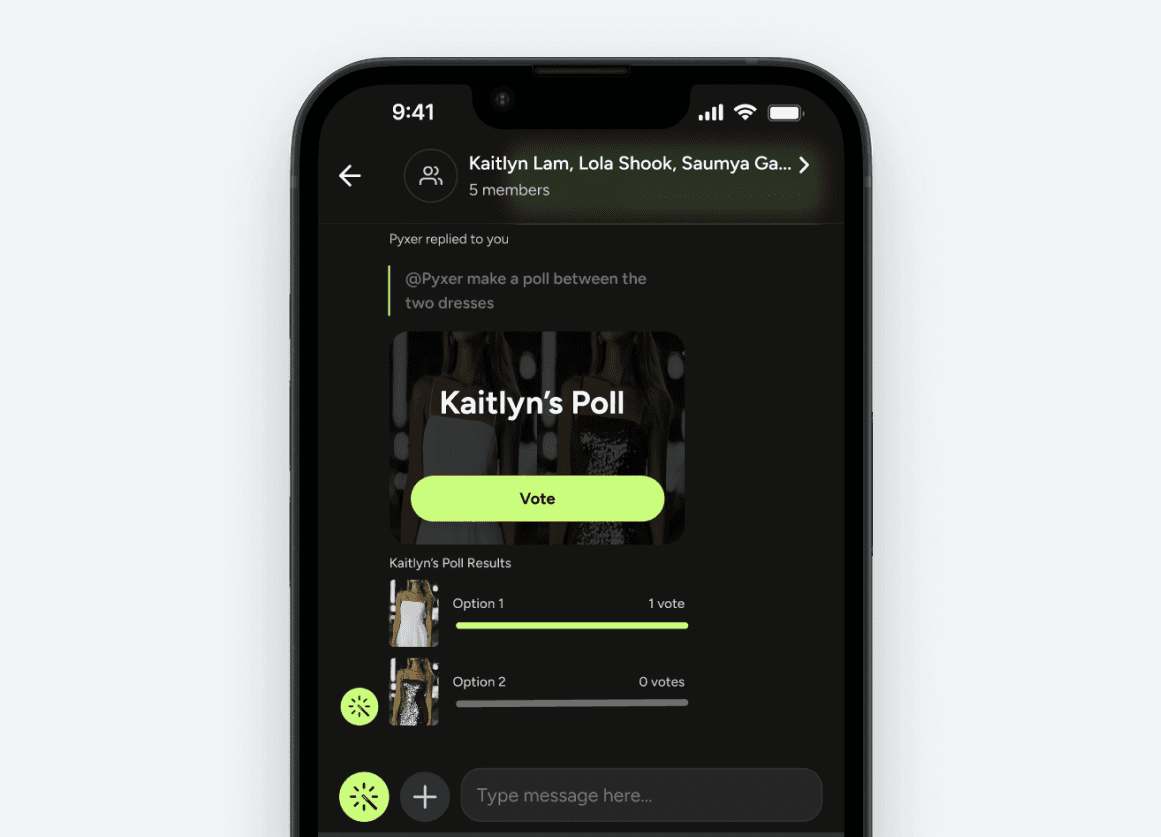
AI generated polls
An initial idea I came up with to boost AI & user engagement—but ultimately postponed in the roadmap.
More usability tests
Due to the tight timeline, I was only able to conduct 3 usability tests for detecting major friction points.
AFTERWORD / LEARNINGS
Almost anything is technically feasible—deadlines & priorities are the true blockers.
REFLECTION
Just because you can, doesn't mean you should (for right now)
As the sole designer with a talented team of engineers, it felt like I had so much power. I realized that virtually any design is possible to implement—if only deadlines, priorities, and business goals didn't exist.
With such little time to design, I learned to prioritize the most impactful design decisions, even if it meant sacrificing ideas and traditional steps in the design process.
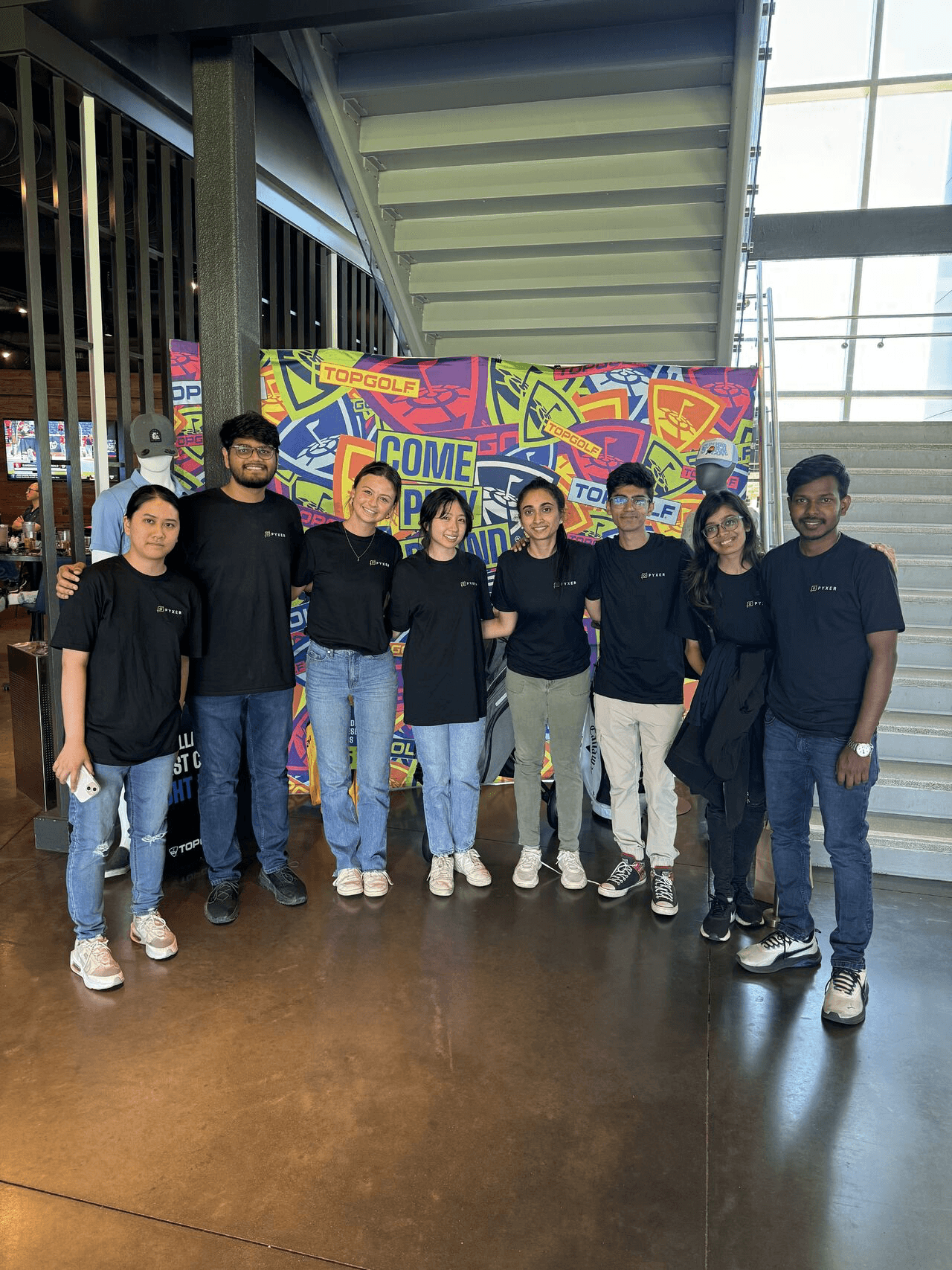
Intern off-site at Top Golf, Santa Clara!
KEEP READING